How I Dynamically Loaded Local Images in a React Native (Expo) App
🗓 Jun 26, 2025 · 📖 3 min read
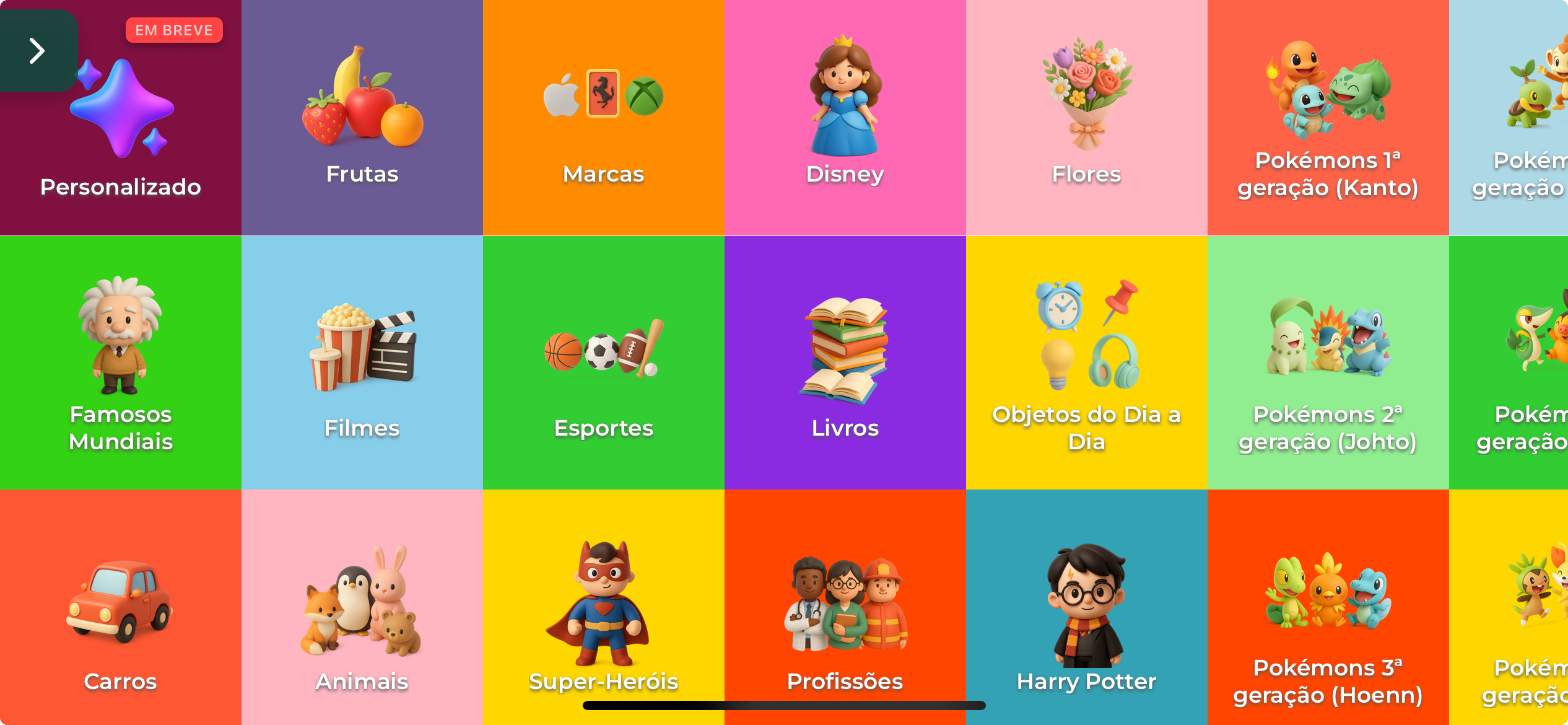
While developing the "Quem sou eu?" (Who Am I?) game app using React Native with Expo, I ran into a tricky issue: loading images dynamically from local assets based on category data stored in JSON files.
This article breaks down the problem, my investigation, and the clean solution I implemented using expo-asset.
🐛 The Problem
🔧 Project Context
In the game, there's a Category List screen that displays each game category as a card, including an title, background color, and an image.
My goal was to keep category definitions in a JSON file and dynamically load images based on the image property of each category.
{
  "key": "animals",
  "name": "Animals",
  "background": "#FFB6C1",
  "image": "animals",
  "items": []
}
⚠️ Expected Behavior
Each category card should display the corresponding image by reading its path from the JSON:
<Image source={require(category.image)} />
❌ Actual Behavior
This approach failed with the following error:
ERROR app/index.tsx:Invalid call: require(category.image)
🕵️♂️ Investigation
After some digging, I realized that:
require()must use static strings.- It cannot resolve dynamic paths at runtime.
- This is due to how Metro bundler works in React Native: it needs to bundle all assets at build time.
🔍 Hypothesis
“The problem happens because
require()cannot resolve dynamic paths likerequire(category.image).”
🧪 Tried Solution
I explored Expo's Asset Management system and found a more flexible way to map local assets without hardcoding them.
💡 The Solution
Here’s how I solved the issue using expo-asset:
✅ 1. Installed the required package:
npx expo install expo-asset
I used version ~11.1.5 during implementation, but you should install the most recent version available when following along.
✅ 2. Updated app.config.js or app.config.ts
export default {
  ...
  plugins: [
    [
      "expo-asset",
      {
        assets: ["./assets/images/modules/animals.png"],
      },
    ],
    ...
  ]
};
✅ 3. Adjusted JSON structure
{
  "key": "animals",
  "name": "Animals",
  "background": "#FFB6C1",
  "image": "animals"
}
Then, in the component:
{categories.map((category) => (
    <CategoryItem
      key={category.key}
      onPress={handlePress}
    >
      <Image
-       source={require(category.image)}
+       source={{ uri: category.image }}
        style={{ width: 70, height: 70 }}
      />
      <Text style={styles.buttonText}>{category.name}</Text>
    </TouchableOpacity>
  ));
}
✅ 5. Rebuild the development build
npx expo start --clear
Or using EAS:
eas build --profile development --platform android
🔄 Important: Asset plugin configurations only take effect in new builds.
🎓 Lessons Learned
require()is not dynamic — it must use static strings because the Metro bundler needs to preload all assets.- When working with JSON-driven data that refers to local assets, we need to manually map those assets and reference them statically.
- The expo-asset plugin helps Expo identify and package assets when they’re declared explicitly.
✅ Conclusion
This problem taught me how static asset bundling really works under the hood in Expo. Though I expected dynamic paths to “just work”, React Native’s static bundling model required a workaround.
If you're loading local images based on dynamic data, especially from a JSON file, this pattern with an image map and require() is the way to go.
Let me know if you’ve faced a similar issue — I’d love to hear your solution!